
MetaTrader indicators are small programs that run directly on your MetaTrader 4 (MT4) or MetaTrader 5 (MT5) chart, analyzing price action and highlighting information that would otherwise take considerable manual effort to work out. Rather than replacing a trader’s judgment, a well-built custom indicator does the repetitive, precise work in the background, tracking swings, plotting levels, or measuring momentum, so decisions can be made faster and with more consistency. Every indicator on this page is a custom trading tool built specifically for Harmonics Pro Trader members and available for both MT4 and MT5, each designed to solve a particular problem traders face when reading MetaTrader charts. Below you will find each indicator explained in detail, including exactly what it draws, how it behaves as the market moves, and which settings you can adjust to fit your own trading style.
 Live Chart Example
Owl D Levels
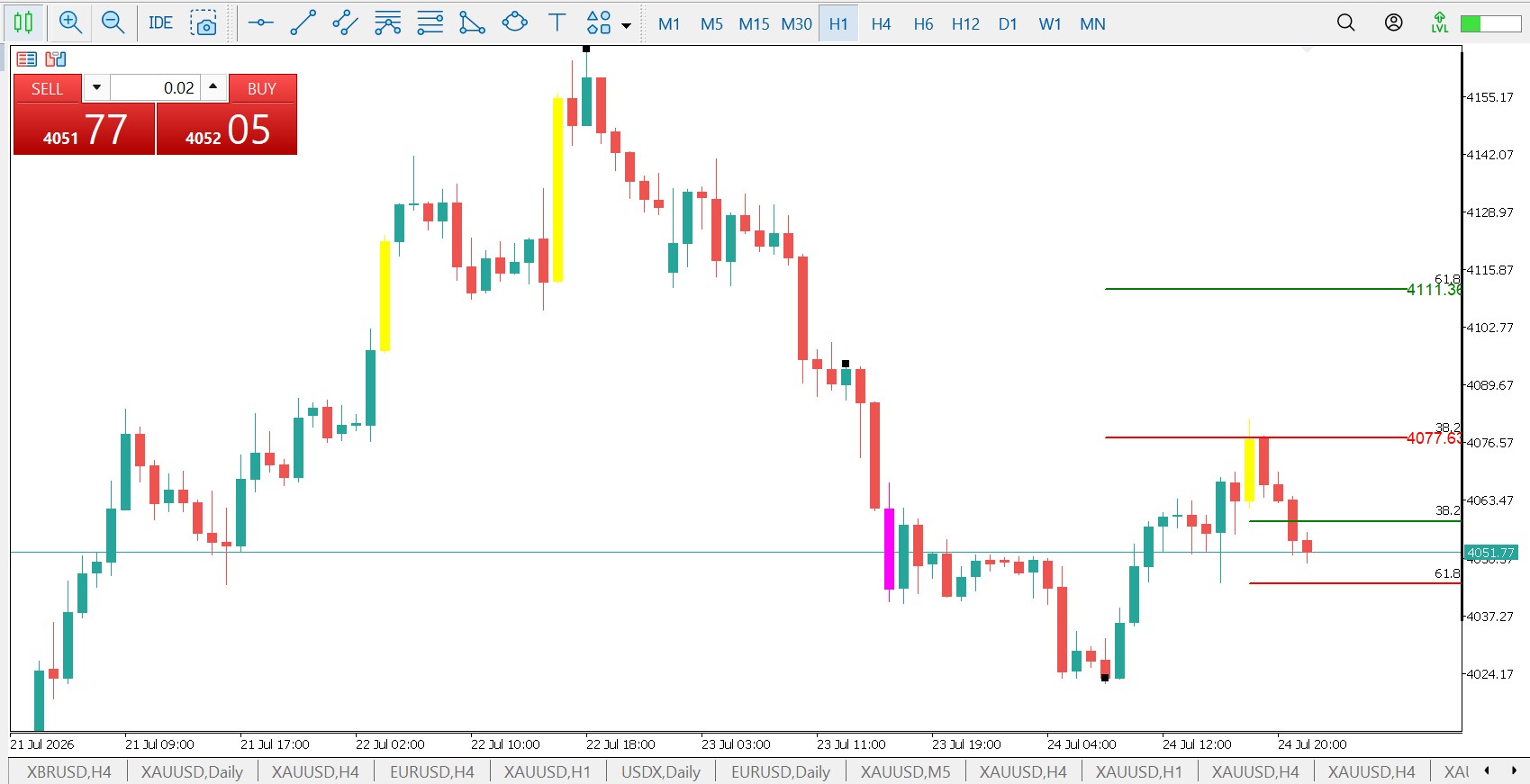
Owl D Levels is a custom MetaTrader indicator, available for both MetaTrader 4 (MT4) and MetaTrader 5 (MT5), built to work alongside the standard Fibonacci retracement tool. Instead of asking you to manually calculate extension and retracement levels every time you draw a new Fibo, the indicator watches the chart for any Fibonacci object and automatically extends it with four additional levels: the 38.2% and 61.8% retracements, shown in green and red, and the 127.2% and 161.8% extensions, shown in blue and orange. Each level is drawn as a short, capped horizontal segment rather than an infinite ray, keeping the chart clean and focused only on the area just ahead of price, with a price label attached so the exact value is always visible at a glance.
The indicator is fully event-driven, meaning it listens for every change made to a Fibonacci object on the chart. If you drag a Fibo to adjust its swing high or low, move it entirely, or create a brand new one, Owl D Levels rebuilds its levels in real time to match. Deleting a Fibo automatically clears the levels that belonged to it, and because every set of levels is tied to its own Fibo through an internal naming system, you can plot several Fibonacci retracements at once and each one keeps its own independent set of Owl levels without interfering with the others.
A handful of inputs let you tailor the indicator to your own workflow. EnableOwl acts as a master on and off switch, while ShowRetrace and ShowExtension let you toggle the retracement and extension levels independently if you only want one or the other. SegmentBars controls how far to the right each level segment extends, SegmentWidth adjusts the thickness of the lines, and each of the four levels has its own customizable color. There is also a HideFiboLines option, which hides the original Fibonacci tool’s own lines and levels so that only the Owl levels remain visible on the chart.

 Live Chart Example
Quarterly Pivots
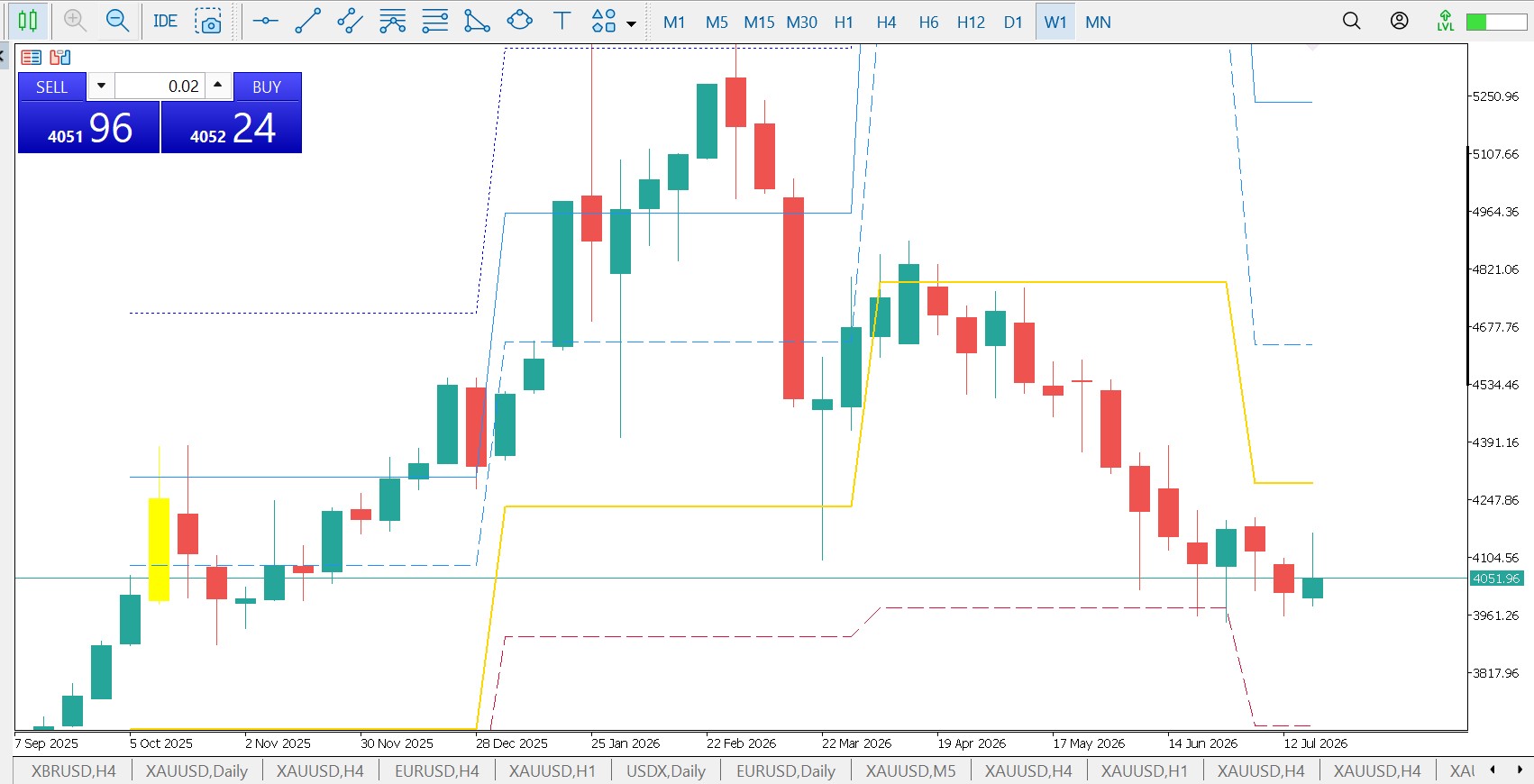
Quarterly Pivots is a custom MetaTrader indicator, available for both MetaTrader 4 (MT4) and MetaTrader 5 (MT5), that plots classic floor-pivot levels calculated for each calendar quarter. For every quarter it draws a central Pivot line together with three resistance levels (R1, R2, R3) and three support levels (S1, S2, S3), giving you a clear map of the higher-timeframe levels where price is most likely to react.
Each set of levels is worked out from the previous quarter’s high, low and close using the standard pivot formulas, and then projected forward across the following quarter, so the levels you see on the current chart are the ones the market actually traded into that period. Because the calculation is anchored to whole quarters rather than the intraday session, the levels stay fixed for three months at a time, which makes them useful as longer-term support and resistance zones, profit targets and bias filters on any timeframe.
The indicator keeps things simple with a single setting, the number of historical quarters to display (four by default), so you can show just the current framework or extend the picture back over the past year to study how price respected each level. The central Pivot, R1/S1, R2/S2 and R3/S3 are drawn in distinct colours and line styles so each level is easy to identify at a glance on both MT4 and MT5.